
Creating Custom Blade Directives
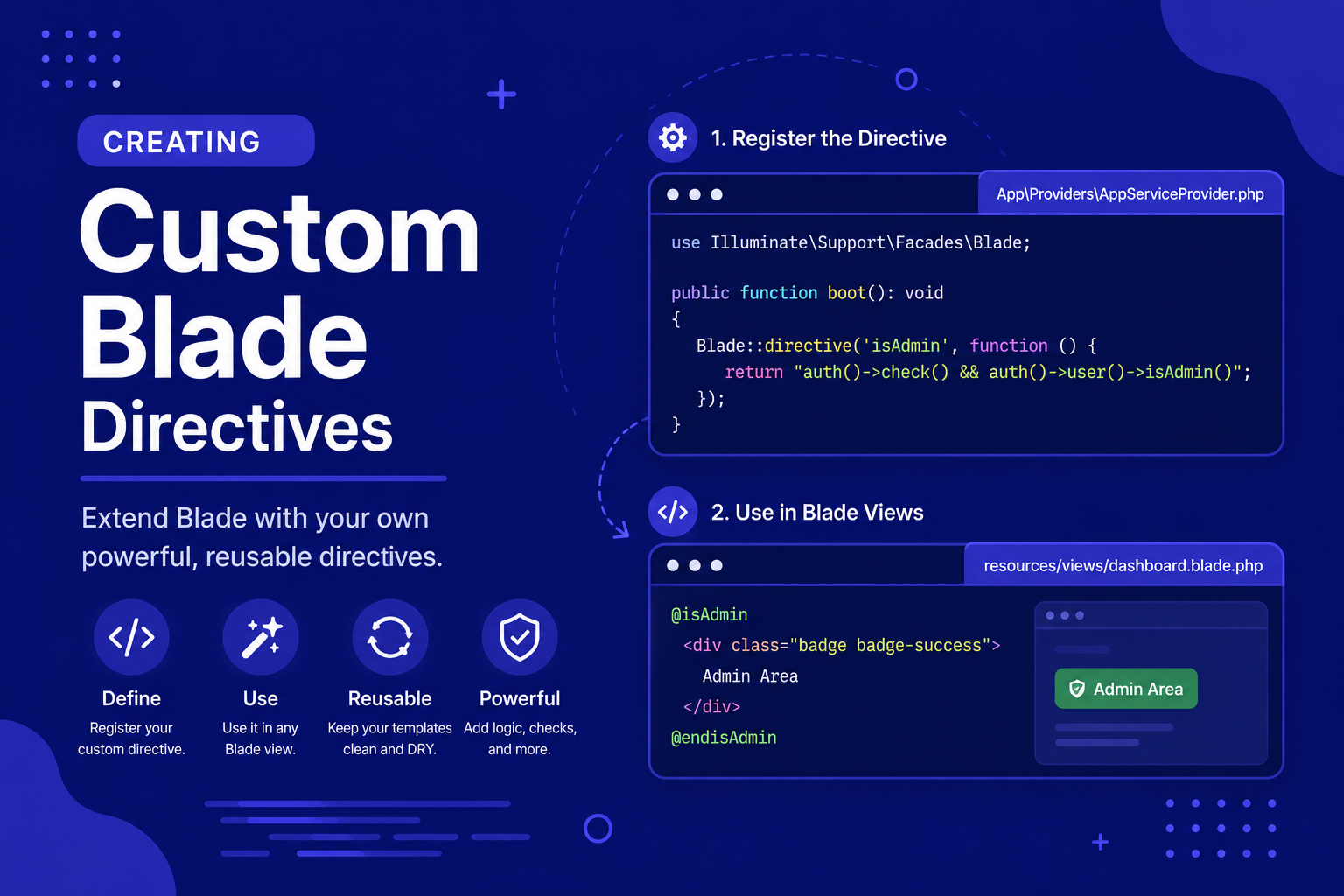
In this final article of our Blade Templating category, we'll walk through how to create custom directives, from simple examples to slightly more advanced ones involving parameters.
235 views
Introduction
Blade's built-in directives — @if, @foreach, @auth, and the many others we covered in the previous article — handle the vast majority of what you'll need in everyday view logic. But every application eventually develops its own repeated patterns, specific checks or formatting rules that show up across many views, which don't have a dedicated built-in directive.
Rather than repeating the same @if conditions or PHP snippets over and over, Laravel lets you define your own custom Blade directives, extending Blade's syntax with shortcuts tailored specifically to your application. Once defined, a custom directive behaves exactly like any built-in one, keeping your views just as clean and expressive.
In this final article of our Blade Templating category, we'll walk through how to create custom directives, from simple examples to slightly more advanced ones involving parameters.
Where Custom Directives Are Defined
Custom Blade directives are registered inside a service provider, typically within the boot() method of App\Providers\AppServiceProvider. You use the Blade::directive() method to define each one.
php
<?php

namespace App\Providers;

use Illuminate\Support\Facades\Blade;
use Illuminate\Support\ServiceProvider;

class AppServiceProvider extends ServiceProvider
{
    public function boot(): void
    {
        // Custom directives go here
    }
}
Creating a Simple Custom Directive
Let's say your application frequently needs to format prices consistently — displaying a raw number as a properly formatted currency value. Instead of repeating formatting logic across many views, you can create a @money directive.
php
Blade::directive('money', function ($expression) {
    return "<?php echo '$' . number_format($expression, 2); ?>";
});
Now, in any Blade view, you can use it like this:
html
<p>Price: @money($product->price)</p>If $product->price was 1500, this would render as Price: $1,500.00.
Understanding How $expression Works
When you call @money($product->price), Blade passes everything inside the parentheses — $product->price — as a raw string into your directive's callback function, via the $expression parameter. Your job is to return a string of valid PHP code that Blade will compile into the final view. This is why the directive definition returns a string containing <?php ... ?>, rather than executing the logic directly.
A Practical Example: Formatting Dates
Another common repeated pattern is formatting dates consistently across an application:
php
Blade::directive('shortdate', function ($expression) {
    return "<?php echo ($expression)->format('M d, Y'); ?>";
});
Usage in a view:
html
<p>Published on: @shortdate($post->created_at)</p>This assumes created_at is already a Carbon date instance (which Laravel provides automatically for Eloquent model timestamps), so calling ->format() directly works as expected.
Creating a Directive with a Matching "if" Statement
Sometimes you want a directive that behaves like a custom conditional, similar to how @auth and @guest work internally. Laravel provides a convenient shortcut for exactly this pattern: Blade::if().
php
Blade::if('subscribed', function ($user) {
    return $user && $user->isSubscribed();
});
This automatically creates @subscribed, @elsesubscribed, @endsubscribed, and @unlesssubscribed directives for you, usable like this:
html
@subscribed($user)
    <p>Thanks for subscribing!</p>
@else
    <p>Consider subscribing for more features.</p>
@endsubscribed
This is often cleaner than a manually defined directive when you're essentially building a custom conditional check.
Custom Directives Without Parameters
Not every directive needs an expression. For directives that don't take any arguments, simply ignore the $expression parameter (or don't use it):
php
Blade::directive('currentyear', function () {
    return "<?php echo date('Y'); ?>";
});
html
<p>© @currentyear Laravel Learners</p>Where to Register Directives for Larger Applications
For small to medium applications, defining a handful of directives directly inside AppServiceProvider::boot() is perfectly fine. If your application grows to have many custom directives, some developers choose to organize them into a dedicated service provider (like BladeServiceProvider) to keep AppServiceProvider from becoming cluttered. This isn't required, but it's a common organizational pattern worth knowing about.
Tips for Creating Custom Directives
Only create a custom directive for patterns you genuinely repeat often — if something is only used once or twice, a regular
@ifor@phpblock is usually simpler.Use
Blade::if()for conditional-style directives rather than manually building@if/@endif-style directives from scratch, since it's specifically designed for that pattern.Keep directive logic simple — directives are meant for small, reusable formatting or condition checks, not substantial business logic, which belongs in your controllers or dedicated classes.
Test directives directly in a view early after defining them, since syntax errors in the returned PHP string can be tricky to debug otherwise.
Document custom directives (even just a comment above each one) so other developers on your team know they exist and don't recreate the same functionality differently.
FAQ About Custom Blade Directives
1. Do I need to clear any cache after creating a new custom directive? Usually not during local development, but if changes don't seem to apply, running php artisan view:clear will remove cached compiled views and force Blade to recompile everything, including your new directive.
2. Can a custom directive accept multiple parameters? Yes. Since $expression is just a raw string of whatever was inside the parentheses, you can pass multiple comma-separated values and handle them within your returned PHP code, just as you would with any PHP function accepting multiple arguments.
3. What's the difference between a custom directive and a Blade component? Directives are best for small, inline logic or formatting shortcuts, while components (covered two articles ago) are better suited for reusable chunks of markup with their own structure, props, and slots.
4. Is it safe to put complex logic inside a custom directive? It's technically possible, but not recommended. Directives work best as thin wrappers around simple logic; more complex logic is easier to test and maintain inside a proper PHP class or helper function that the directive simply calls.
5. Can I remove or override a built-in Blade directive? While technically possible, this isn't recommended, since it could cause confusing, inconsistent behavior across your application (and any packages that rely on standard Blade behavior). It's much safer to create a directive with a new, distinct name instead.
6. Do custom directives work the same way in every Blade file across my application? Yes, once registered in a service provider that's loaded on every request (like AppServiceProvider), a custom directive becomes globally available across every Blade view in your application.
Conclusion
Custom Blade directives let you extend Blade's syntax with shortcuts tailored specifically to your own application's repeated patterns, keeping your views just as clean and expressive as when you're using Laravel's built-in directives. Used thoughtfully — for small, genuinely repeated formatting or conditional logic — they can meaningfully reduce duplication across your views.
With this article, we've now completed the full Blade Templating category — from the basics of outputting data safely, through layouts and sections, reusable components and slots, core directives like @if and @foreach, and finally building your own custom directives. You now have a comprehensive toolkit for building dynamic, maintainable views in Laravel.
Found this helpful? Share it!