
Eloquent Relationships: One to One, One to Many, Many to Many
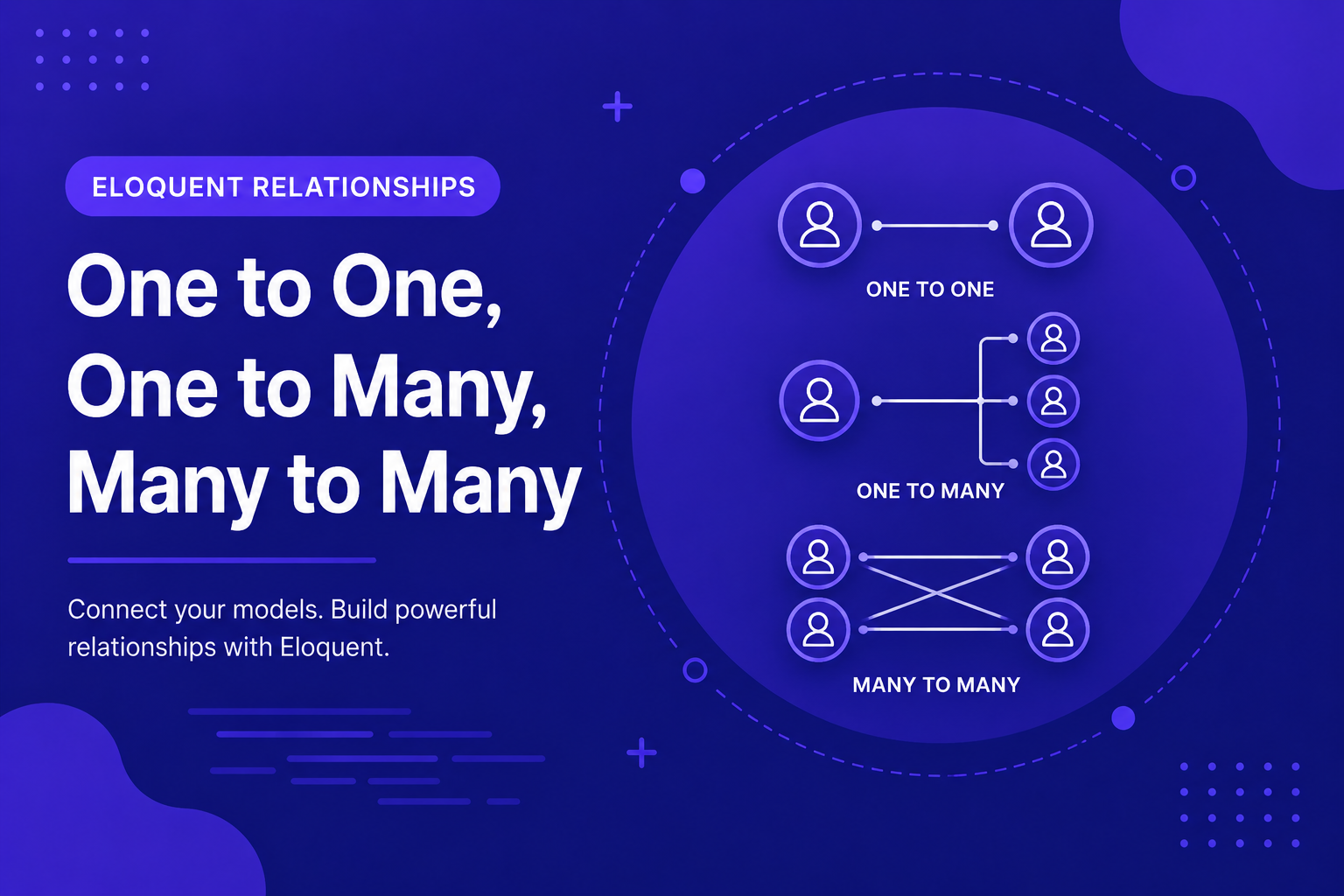
In this article, we'll cover the three most common relationship types in Laravel: one-to-one, one-to-many, and many-to-many, along with how to define and use each one.
264 views
Introduction
Real applications rarely involve just one isolated table of data. A blog has posts that belong to users, posts that have many comments, and posts that might be tagged with multiple categories. These connections between tables are called relationships, and they're one of the areas where Eloquent truly shines compared to writing raw SQL joins by hand.
Instead of manually writing join queries every time you need related data, Eloquent lets you define relationships once, directly on your models, and then access related data using simple, readable property-like syntax. This makes working with connected data feel almost as natural as working with a single table.
In this article, we'll cover the three most common relationship types in Laravel: one-to-one, one-to-many, and many-to-many, along with how to define and use each one.
One to One Relationships
A one-to-one relationship exists when a single record in one table corresponds to exactly one record in another. A classic example is a User having exactly one Profile.
Database Structure
php
Schema::create('profiles', function (Blueprint $table) {
    $table->id();
    $table->foreignId('user_id')->constrained();
    $table->string('bio')->nullable();
    $table->string('avatar')->nullable();
    $table->timestamps();
});
Defining the Relationship
On the User model:
php
public function profile()
{
    return $this->hasOne(Profile::class);
}
On the Profile model (the inverse relationship):
php
public function user()
{
    return $this->belongsTo(User::class);
}
Using the Relationship
php
$user = User::find(1);
echo $user->profile->bio;

$profile = Profile::find(1);
echo $profile->user->name;
Notice that profile and user are accessed like regular properties, even though they're actually method calls behind the scenes — Eloquent's "magic" handles this automatically.
One to Many Relationships
A one-to-many relationship exists when a single record in one table can relate to multiple records in another. This is likely the most common relationship type you'll use — for example, a User having many Post records.
Database Structure
php
Schema::create('posts', function (Blueprint $table) {
    $table->id();
    $table->foreignId('user_id')->constrained();
    $table->string('title');
    $table->text('body');
    $table->timestamps();
});
Defining the Relationship
On the User model:
php
public function posts()
{
    return $this->hasMany(Post::class);
}
On the Post model (the inverse relationship):
php
public function user()
{
    return $this->belongsTo(User::class);
}
Using the Relationship
php
$user = User::find(1);
foreach ($user->posts as $post) {
    echo $post->title;
}

$post = Post::find(1);
echo $post->user->name; // The author of this post
Many to Many Relationships
A many-to-many relationship exists when multiple records in one table relate to multiple records in another — for example, posts that can have multiple tags, and tags that can belong to multiple posts.
Database Structure
Many-to-many relationships require a third table (called a "pivot table") to store the connections between the two:
php
Schema::create('tags', function (Blueprint $table) {
    $table->id();
    $table->string('name');
    $table->timestamps();
});

Schema::create('post_tag', function (Blueprint $table) {
    $table->foreignId('post_id')->constrained()->onDelete('cascade');
    $table->foreignId('tag_id')->constrained()->onDelete('cascade');
});
By Laravel convention, the pivot table name combines both related model names, singular and alphabetically ordered, separated by an underscore (post_tag).
Defining the Relationship
On the Post model:
php
public function tags()
{
    return $this->belongsToMany(Tag::class);
}
On the Tag model:
php
public function posts()
{
    return $this->belongsToMany(Post::class);
}
Using the Relationship
php
$post = Post::find(1);
foreach ($post->tags as $tag) {
    echo $tag->name;
}

$tag = Tag::find(1);
foreach ($tag->posts as $post) {
    echo $post->title;
}
Attaching and Detaching Relationships
Unlike one-to-many relationships, many-to-many relationships require explicitly managing the pivot table entries:
php
$post = Post::find(1);

$post->tags()->attach($tagId);       // Add a single tag
$post->tags()->attach([1, 2, 3]);    // Add multiple tags at once
$post->tags()->detach($tagId);       // Remove a specific tag
$post->tags()->sync([1, 2, 3]);      // Replace all tags with this exact set
sync() is especially useful for forms where a user selects tags from a checklist — it automatically adds newly selected tags and removes any that were unchecked, in one call.
Tips for Working with Relationships
Name relationship methods clearly and consistently — plural for "many" relationships (
posts(),tags()), singular for "one" relationships (profile(),user()).Always define the inverse relationship on the related model, even if you don't use it immediately — it's often needed sooner than expected.
Use
sync()instead of manually attaching/detaching when replacing an entire set of many-to-many relationships, like updating tags from a form submission.Double-check foreign key column names match what Eloquent expects by convention, or explicitly specify them as extra arguments to
hasMany(),belongsTo(), etc., if they differ.Remember relationships are lazy by default — accessing
$post->tagstriggers a separate database query the first time it's accessed, a concept we'll explore fully in the next article on eager loading.
FAQ About Eloquent Relationships
1. How does Eloquent know which foreign key to use for a relationship? By convention, Eloquent assumes the foreign key follows the pattern {model_name}_id (e.g., user_id on the posts table for a belongsTo(User::class) relationship). You can override this by passing a second argument specifying the actual column name if it differs.
2. What's the difference between hasOne and belongsTo? hasOne is defined on the model that "owns" the relationship (like User having one Profile), while belongsTo is defined on the model that holds the foreign key (like Profile belonging to a User). They represent two sides of the same relationship.
3. Do I need to manually create the pivot table for many-to-many relationships? Yes, you need to create it yourself via a migration, following Laravel's naming convention (or specifying a custom table name explicitly in the relationship definition if you prefer a different name).
4. Can a pivot table store additional data, not just the two foreign keys? Yes, using withPivot() when defining the relationship, you can include extra columns (like a created_at timestamp for when a tag was added), accessible via $post->tags->first()->pivot.
5. What happens if I access a relationship that hasn't been defined? You'll get an error, since Eloquent has no way of knowing how to resolve $post->tags unless a tags() relationship method actually exists on the model.
6. Can a model have multiple relationships to the same related model? Yes. For example, a Post might have both an author() relationship and an editor() relationship, both pointing to the User model, using custom foreign key names to distinguish them.
Conclusion
Relationships are where Eloquent truly demonstrates its value, letting you navigate connected data across multiple tables using clean, intuitive syntax instead of manually written joins. Understanding one-to-one, one-to-many, and many-to-many relationships covers the vast majority of connections you'll need to model in real-world applications.
In the next article, we'll address an important performance consideration that comes with relationships: the difference between eager loading and lazy loading, and why choosing the wrong one can silently slow your application down.
Found this helpful? Share it!