
Essential Artisan CLI Commands for Beginners
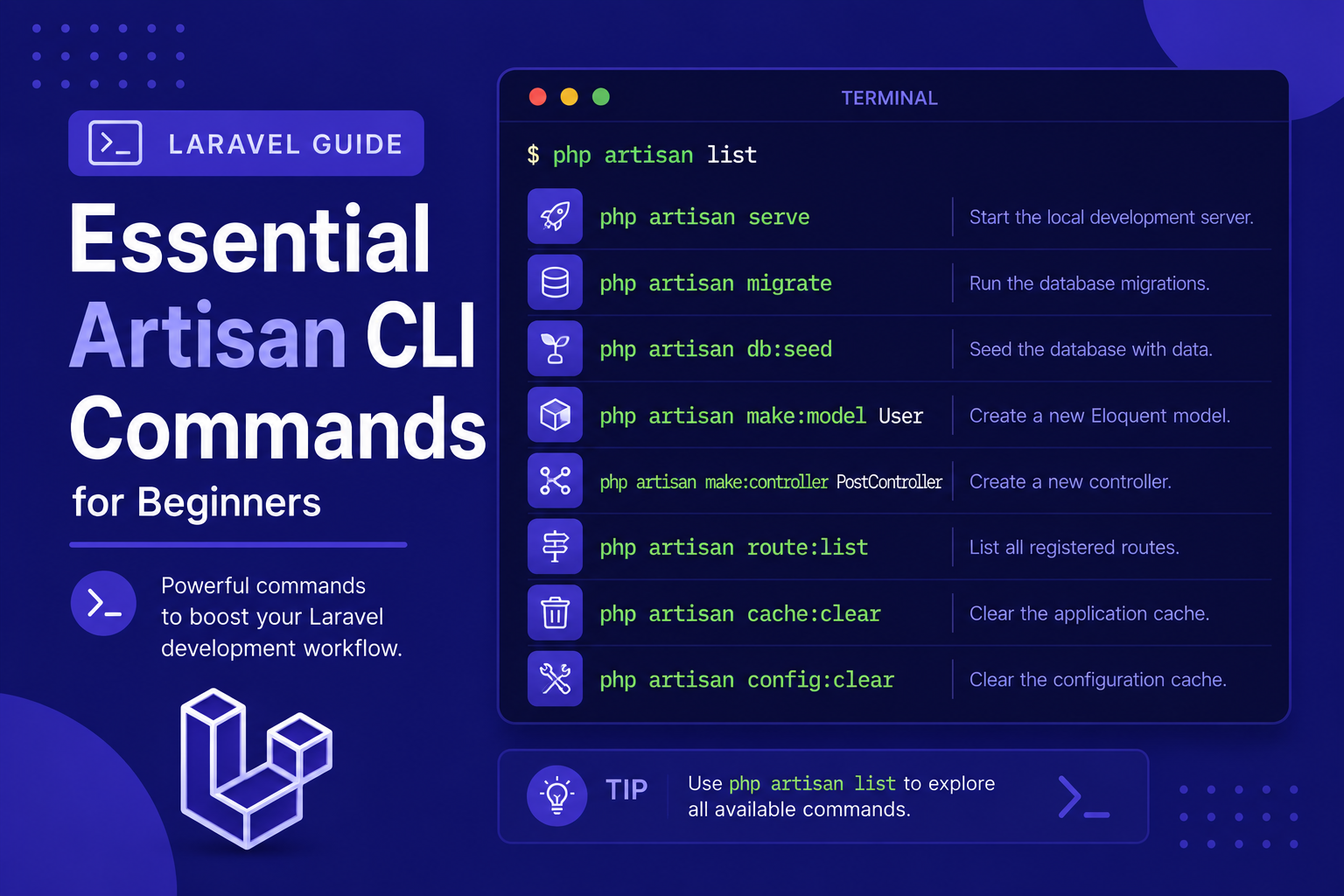
In this article of our beginner series, we'll walk through the most essential Artisan commands you'll actually use, organized by what they help you accomplish, so you can start using the command line confidently in your own projects.
407 views
Introduction
If there's one tool that truly sets Laravel apart from writing plain PHP, it's Artisan — Laravel's built-in command-line interface. Artisan lets you generate boilerplate code, manage your database, clear caches, and perform dozens of other repetitive tasks with a single command, saving you from writing the same files by hand over and over again.
For beginners, Artisan can feel like a bit of a black box at first — there are so many commands available that it's hard to know where to start. But in practice, you'll find yourself relying on just a handful of them for most of your daily work, especially in the early stages of learning Laravel.
In this article of our beginner series, we'll walk through the most essential Artisan commands you'll actually use, organized by what they help you accomplish, so you can start using the command line confidently in your own projects.
Getting Familiar with Artisan
Every Artisan command follows this basic pattern:
php artisan [command] [options]To see a full list of available commands at any time, run:
php artisan listIf you're ever unsure how a specific command works, you can view detailed help for it:
php artisan help migrateCommands for Generating Code (Make Commands)
Laravel's "make" commands are among the most frequently used, since they generate properly structured boilerplate files for you instead of creating them manually.
Create a controller:
php artisan make:controller PostControllerCreate a model:
php artisan make:model PostCreate a model along with a migration file at the same time:
php artisan make:model Post -mCreate a migration file only:
php artisan make:migration create_posts_tableCreate a Blade view manually: Views don't have a dedicated Artisan command — you simply create a .blade.php file inside resources/views/.
Create a form request (for validation logic):
php artisan make:request StorePostRequestCreate a seeder (for populating test/sample data):
php artisan make:seeder PostSeederCommands for Managing the Database
Run all pending migrations:
php artisan migrateRoll back the last batch of migrations:
php artisan migrate:rollbackDrop all tables and re-run every migration from scratch:
php artisan migrate:freshRun migrations and seed the database at the same time:
php artisan migrate:fresh --seedRun seeders independently:
php artisan db:seedCommands for Local Development
Start the local development server:
php artisan serveOpen an interactive shell to test code directly (Tinker):
php artisan tinkerThis is especially useful for beginners, since it lets you experiment with Eloquent queries and test small snippets of code without creating a whole route or controller just to try something out.
Commands for Clearing and Managing Cache
As your application grows, Laravel caches various things (config, routes, views) for performance. Sometimes, changes won't take effect until you clear these caches:
Clear config cache:
php artisan config:clearClear route cache:
php artisan route:clearClear compiled view cache:
php artisan view:clearClear application cache:
php artisan cache:clearClear everything at once (optimize:clear):
php artisan optimize:clearCommands for Inspecting Your Application
List all registered routes:
php artisan route:listThis is extremely useful for quickly checking which URLs exist in your application and which controller methods they point to.
Check your current Laravel version:
php artisan --versionTips for Using Artisan Effectively
Use
-mwhen creating models if you know you'll need a migration too — it saves an extra command.Run
php artisan route:listoften early on, to build a mental map of how your application's URLs are structured.Get comfortable with Tinker for quick experiments — it's much faster than creating temporary routes just to test a query.
Clear caches when something "isn't updating" — this solves a surprising number of confusing bugs, especially after changing
.envor routes.Use
php artisan help [command]whenever you're unsure about a command's available options, instead of searching online first.Combine
migrate:freshand--seedduring development whenever you want a clean database with sample data to work with.
FAQ About Artisan Commands
1. Do I need to memorize all Artisan commands? No. Most developers only use a core set of commands regularly (like make:model, migrate, and serve) and look up the rest as needed using php artisan list or the official documentation.
2. What's the difference between migrate and migrate:fresh? migrate only runs migrations that haven't been applied yet, while migrate:fresh drops all existing tables first and re-runs every migration from scratch — useful for resetting your database during development.
3. Is it safe to run migrate:fresh in production? No, never. It deletes all existing data in your database. It should only be used in local development or testing environments.
4. What is Tinker actually used for? Tinker gives you an interactive PHP console preloaded with your Laravel application, letting you test Eloquent queries, call functions, or inspect data directly, without writing a full script or route.
5. Why do I need to clear cache manually sometimes? Laravel caches things like config and routes for performance, especially in production. When you make changes to these areas, the cached version can become outdated until you clear it manually.
6. Can I create my own custom Artisan commands? Yes. Laravel allows you to create custom commands using php artisan make:command YourCommandName, which is useful for automating project-specific tasks.
7. What's the quickest way to see what a command does before running it? Use php artisan help [command-name] to view its description, available options, and arguments before running it for real.
Conclusion
Artisan is one of Laravel's most powerful productivity tools, and getting comfortable with its core commands will noticeably speed up your development workflow. While the full list of available commands might seem overwhelming at first, you'll quickly find that a small, consistent set of them covers the vast majority of your daily needs.
With this article, we've now covered the full journey from understanding what Laravel is, setting up your environment, installing your first project, exploring its folder structure, configuring your .env file, running a local server, and finally getting comfortable with Artisan. You're now well-equipped to start building your own Laravel applications with confidence.
Found this helpful? Share it!