
Creating Controllers with Artisan
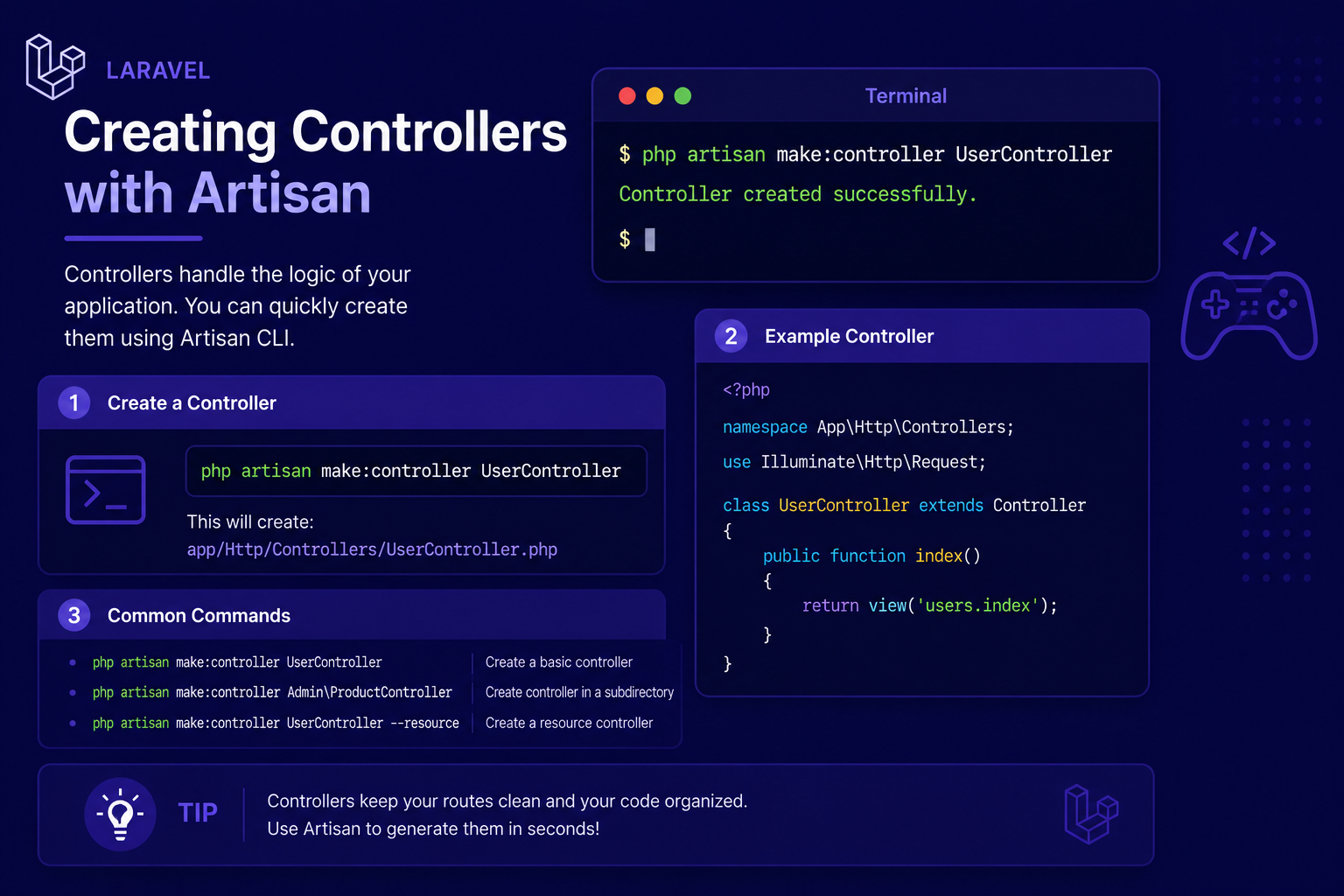
In this article, we'll walk through how to create controllers using Artisan, the different types of controllers Laravel supports, and how to properly connect them to your routes.
259 views
Introduction
So far in this series, we've been writing route logic directly inside closures — small anonymous functions defined right in the route file. That approach works fine for quick examples, but it doesn't scale well once your application starts handling real features. Mixing business logic directly into your route files makes them cluttered, hard to test, and difficult to reuse.
This is where controllers come in. Controllers let you group related request-handling logic into a single, organized class, keeping your route files clean and your logic reusable and testable. Instead of a route pointing to an inline closure, it points to a specific method on a controller class.
In this article, we'll walk through how to create controllers using Artisan, the different types of controllers Laravel supports, and how to properly connect them to your routes.
What is a Controller?
A controller is simply a PHP class responsible for handling incoming requests and returning a response — the same job a route closure does, just organized in a more structured, reusable way. Controllers live inside app/Http/Controllers/ by default.
Instead of this:
php
Route::get('/posts', function () {
    return view('posts.index');
});
You'd typically move that logic into a controller and reference it like this:
php
Route::get('/posts', [PostController::class, 'index']);Creating a Controller with Artisan
Rather than manually creating controller files and writing boilerplate class definitions yourself, Laravel provides a convenient Artisan command:
php
php artisan make:controller PostControllerThis generates a new file at app/Http/Controllers/PostController.php with a basic class structure already in place:
php
<?php

namespace App\Http\Controllers;

use Illuminate\Http\Request;

class PostController extends Controller
{
    //
}
From here, you add your own methods to handle different actions, like displaying a list of posts or showing a single post.
php
class PostController extends Controller
{
    public function index()
    {
        return view('posts.index');
    }

    public function show($id)
    {
        return view('posts.show', ['id' => $id]);
    }
}
And connecting these methods to routes looks like this:
php
Route::get('/posts', [PostController::class, 'index']);
Route::get('/posts/{id}', [PostController::class, 'show']);
Types of Controllers in Laravel
Basic Controllers
The example above is what's known as a basic (or plain) controller — a simple class with multiple methods, each handling a different route. This is the most common type you'll create early on.
Single Action Controllers
Sometimes a controller only needs to handle one specific action. In these cases, Laravel supports "single action" controllers using __invoke():
php
php artisan make:controller ShowDashboardController --invokablephp
class ShowDashboardController extends Controller
{
    public function __invoke()
    {
        return view('dashboard');
    }
}
Since there's only one method, you reference it in your route without specifying a method name:
php
Route::get('/dashboard', ShowDashboardController::class);Resource Controllers
For controllers that handle full CRUD (Create, Read, Update, Delete) operations, Laravel offers a shortcut that generates all the standard methods at once:
php
php artisan make:controller PostController --resourceWe'll cover resource controllers in much greater depth in the next article, since they pair closely with a matching route definition (Route::resource()) that ties everything together in one line.
Passing Data from Controllers to Views
Controllers typically retrieve data (often from the database, which we'll explore in later articles) and pass it into a view for display:
php
public function index()
{
    $posts = ['First Post', 'Second Post', 'Third Post'];

    return view('posts.index', ['posts' => $posts]);
}
Inside resources/views/posts/index.blade.php, that data becomes available to loop through:
html
@foreach ($posts as $post)
    <p>{{ $post }}</p>
@endforeach
Tips for Working with Controllers
Use Artisan to generate controllers rather than creating files manually — it saves time and ensures consistent structure.
Keep controller methods focused — each method should handle one specific action (like
index,show,store), not multiple unrelated tasks.Move complex logic out of controllers into dedicated service classes as your application grows, keeping controllers thin and easy to read.
Use
--invokablefor controllers that genuinely only need to handle one action, rather than creating a full class with a single arbitrary method name.Follow consistent method naming, especially the conventional CRUD names (
index,show,create,store,edit,update,destroy), which we'll explore fully in the next article on resource controllers.
FAQ About Controllers
1. Do I have to use controllers, or can I keep using closures in routes? Closures still work fine for very small routes or quick prototypes, but controllers are strongly recommended for anything beyond the simplest applications, since they keep logic organized and testable.
2. What's the difference between a basic controller and a resource controller? A basic controller is a blank class you fill in with your own custom methods, while a resource controller is automatically generated with all seven standard CRUD methods already stubbed out for you.
3. Can a controller have as many methods as I want? Yes, though it's best practice to keep a controller focused on a single resource or feature (like PostController handling only post-related actions) rather than combining unrelated logic into one large class.
4. Where should database queries go — inside the controller or somewhere else? For simple applications, writing queries directly in the controller (often via Eloquent models) is perfectly fine. As applications grow more complex, many developers move query logic into dedicated classes like repositories or services.
5. Do controllers need to return a view? No. Controllers can return views, JSON responses, redirects, plain strings, or virtually anything Laravel knows how to convert into an HTTP response — it depends entirely on what the route is meant to do.
6. Is there a naming convention I should follow for controller classes? Yes, by convention, controller class names are singular and end in "Controller" (e.g., PostController, not PostsController or Post), matching Laravel's default generator output.
Conclusion
Controllers are where the real logic of your Laravel application starts to take shape, offering a clean, organized alternative to cramming everything into your route files. With Artisan handling the boilerplate for you, creating new controllers becomes a fast, repeatable part of your workflow.
In the next article, we'll dive into resource controllers specifically, showing how a single line of route definition can wire up an entire set of CRUD operations for a resource like posts, users, or products.
Found this helpful? Share it!