
Laravel Routing Basics: GET, POST, PUT, DELETE
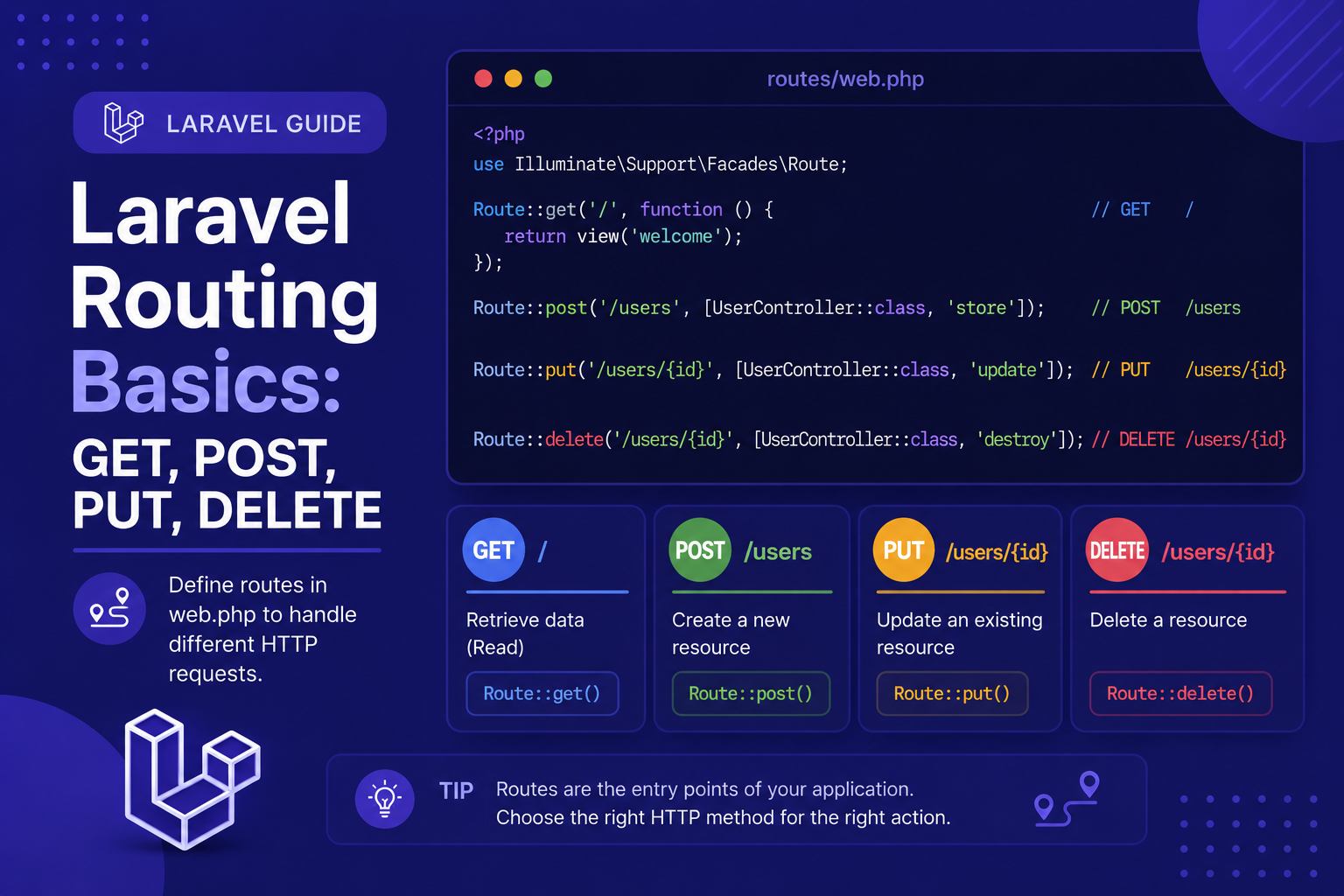
If you've followed along with the earlier articles in this series, you've already seen a glimpse of routing when we peeked into routes/web.php. Now it's time to go deeper and actually understand how Laravel's routing system works, why HTTP methods matter, and how to start structuring your application's URLs properly.
211 views
Introduction
Every web application starts with the same fundamental question: when a user visits a URL, what should happen? In Laravel, the answer to that question always begins with routing. Routes are the entry point for every request that reaches your application, defining which piece of code should run for a given URL and HTTP method.
If you've followed along with the earlier articles in this series, you've already seen a glimpse of routing when we peeked into routes/web.php. Now it's time to go deeper and actually understand how Laravel's routing system works, why HTTP methods matter, and how to start structuring your application's URLs properly.
Understanding routing well is one of the most important foundations you can build as a Laravel developer, since virtually everything else — controllers, middleware, resource CRUD — builds directly on top of it. In this article, we'll cover the four most common HTTP methods (GET, POST, PUT, and DELETE) and how each is defined and used in Laravel.
What is a Route?
A route is simply a definition that tells Laravel: "when a request comes in matching this URL and this HTTP method, run this code." Routes live primarily in two files:
routes/web.php— for routes that return web pages (HTML).routes/api.php— for routes intended to be consumed as an API (typically returning JSON).
For this article, we'll focus on routes/web.php, since it's where most beginners start.
Understanding HTTP Methods
Before diving into Laravel-specific syntax, it helps to understand what each HTTP method conventionally represents:
GET — Used to retrieve or display data (e.g., viewing a page or a list of posts).
POST — Used to submit new data (e.g., submitting a form to create a new post).
PUT (or PATCH) — Used to update existing data.
DELETE — Used to remove existing data.
Following these conventions makes your application more predictable and aligns with standard REST principles, which most other developers (and frameworks) also follow.
Defining Basic Routes
GET Routes
A GET route is the simplest and most common type. Here's a basic example:
php
Route::get('/', function () {
    return view('welcome');
});
You can also return plain text or data instead of a view:
php
Route::get('/hello', function () {
    return 'Hello, Laravel!';
});
POST Routes
POST routes are typically used to handle form submissions. Since Laravel includes CSRF protection by default, any form using POST must include a CSRF token (Laravel's @csrf Blade directive handles this automatically).
php
Route::post('/posts', function () {
    // Handle the form submission, e.g., save a new post
    return 'Post created!';
});
In your Blade view, the form would look like this:
html
<form method="POST" action="/posts">
    @csrf
    <input type="text" name="title">
    <button type="submit">Create Post</button>
</form>
PUT and PATCH Routes
PUT (or PATCH) routes are used for updating existing resources. Since HTML forms don't natively support PUT or DELETE methods, Laravel provides a workaround using a hidden _method field combined with the @method Blade directive.
php
Route::put('/posts/{id}', function ($id) {
    return "Post #{$id} updated!";
});
In a Blade form:
html
<form method="POST" action="/posts/1">
    @csrf
    @method('PUT')
    <input type="text" name="title">
    <button type="submit">Update Post</button>
</form>
DELETE Routes
DELETE routes remove existing resources and follow the same pattern as PUT, using @method('DELETE') in forms.
php
Route::delete('/posts/{id}', function ($id) {
    return "Post #{$id} deleted!";
});
html
<form method="POST" action="/posts/1">
    @csrf
    @method('DELETE')
    <button type="submit">Delete Post</button>
</form>
Connecting Routes to Controllers
While closures (the function-based examples above) work fine for small examples, real applications typically point routes to controller methods instead, keeping logic organized and reusable. We'll cover creating controllers in depth in a later article, but here's a quick preview:
php
Route::get('/posts', [PostController::class, 'index']);
Route::post('/posts', [PostController::class, 'store']);
Route::put('/posts/{id}', [PostController::class, 'update']);
Route::delete('/posts/{id}', [PostController::class, 'destroy']);
Tips for Working with Routes
Match HTTP methods to their intended purpose — use GET for reading, POST for creating, PUT/PATCH for updating, and DELETE for removing, rather than relying on GET for everything.
Always include
@csrfin forms that use POST, PUT, PATCH, or DELETE — Laravel will reject the request otherwise.Use
php artisan route:listfrequently to check which routes currently exist and confirm they're set up correctly.Keep closures for quick prototyping only — move logic into controllers once your application starts growing beyond a few simple routes.
Group related routes together in your route files for readability, even before you learn about formal route groups (covered in a later article).
FAQ About Laravel Routing
1. What's the difference between PUT and PATCH? Conventionally, PUT is used to replace an entire resource, while PATCH is used for partial updates. In practice, Laravel treats them almost identically, and many developers use them interchangeably.
2. Why can't I use PUT or DELETE directly in an HTML form? HTML forms only natively support GET and POST. Laravel works around this limitation using a hidden _method field, which the @method Blade directive generates for you automatically.
3. Do I need to add CSRF protection manually to every form? No, just include @csrf inside the form tag. Laravel's middleware automatically verifies the token for you on every POST, PUT, PATCH, and DELETE request.
4. Can one route handle multiple HTTP methods? Not directly on the same route definition, but you can use Route::match(['get', 'post'], '/example', ...) if you specifically need a single route to respond to multiple methods.
5. What happens if a request doesn't match any defined route? Laravel automatically returns a 404 Not Found response, since no matching route was found to handle the request.
6. Should API routes also use @csrf? No. API routes (in routes/api.php) are typically stateless and use token-based authentication instead of CSRF protection, since they're not usually accessed via browser-submitted HTML forms.
Conclusion
Routing is the very first thing that happens when a request hits your Laravel application, making it one of the most foundational concepts to understand well. By learning how GET, POST, PUT, and DELETE routes work — and following REST conventions around them — you're setting yourself up to build applications that are predictable, organized, and easy to extend.
In the next article, we'll go a step further and explore route parameters, optional parameters, and route constraints, giving you finer control over how your URLs are structured and validated.
Found this helpful? Share it!