
Route Parameters, Optional Parameters, and Route Constraints
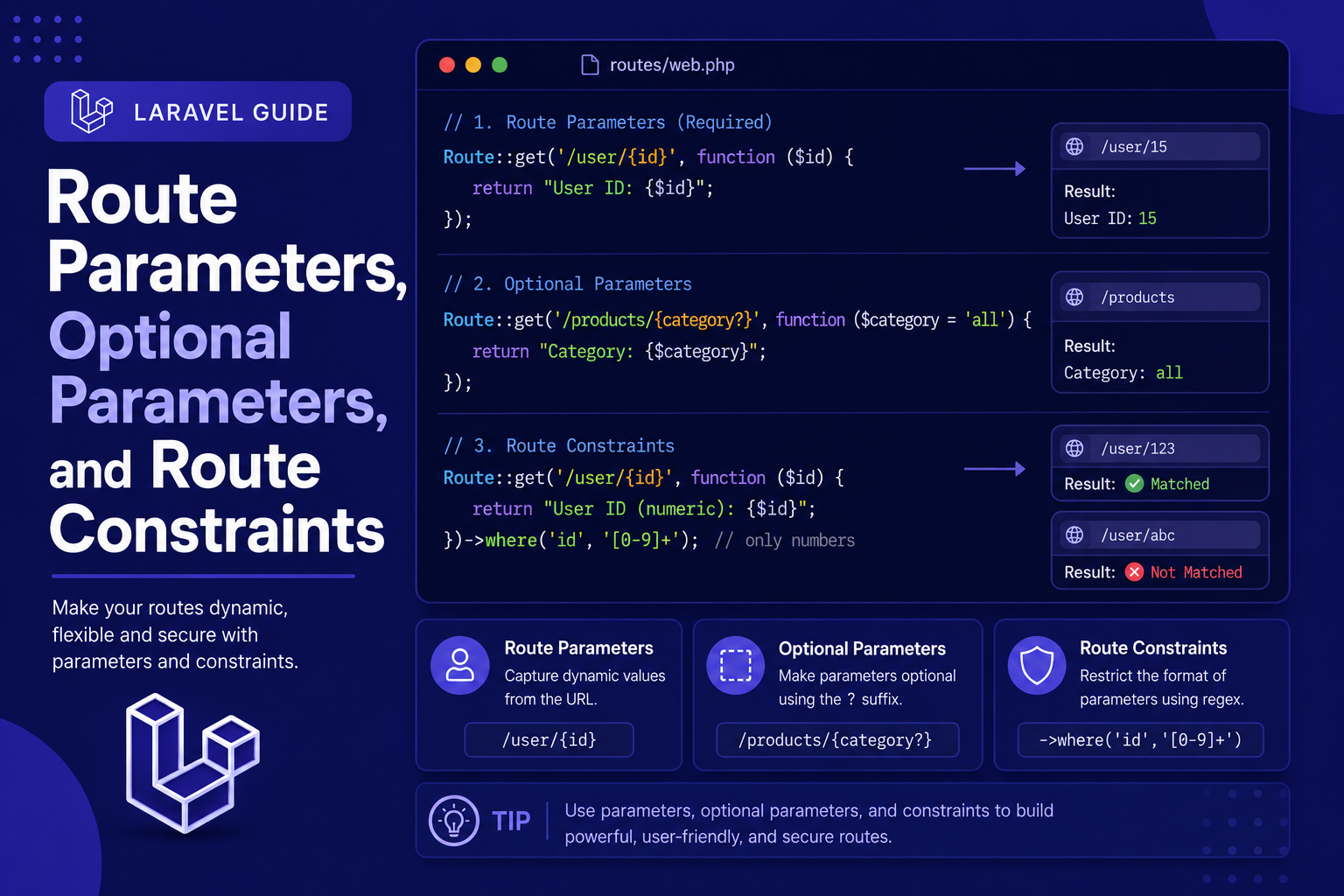
In this article, we'll walk through how to define route parameters, how to make them optional with sensible defaults, and how to apply constraints so your routes only match the input format you intend.
254 views
Introduction
In the previous article, we covered the basics of defining GET, POST, PUT, and DELETE routes. But most real-world routes need more than a fixed URL — they need to accept dynamic values, like an article's ID or a user's username, directly from the URL itself. This is where route parameters come in.
Laravel makes working with dynamic URL segments simple and flexible. You can capture values directly from the URL, make certain parts optional, and even add validation rules (called constraints) to ensure the data passed in matches the format you expect — all without writing extra conditional logic inside your route or controller.
In this article, we'll walk through how to define route parameters, how to make them optional with sensible defaults, and how to apply constraints so your routes only match the input format you intend.
Basic Route Parameters
A route parameter is defined by wrapping a name in curly braces within your route's URL pattern. Laravel automatically passes the matched value into your route's closure or controller method.
php
Route::get('/posts/{id}', function ($id) {
    return "Showing post #{$id}";
});
If a user visits /posts/5, Laravel captures 5 as $id and passes it directly into the function. This same concept applies when using controllers:
php
Route::get('/posts/{id}', [PostController::class, 'show']);php
public function show($id)
{
    return "Showing post #{$id}";
}
Multiple Parameters
You can define more than one parameter in a single route, and Laravel will pass them in the same order they appear in the URL:
php
Route::get('/posts/{postId}/comments/{commentId}', function ($postId, $commentId) {
    return "Post #{$postId}, Comment #{$commentId}";
});
Optional Parameters
Sometimes a parameter isn't always required. Laravel allows you to make a route parameter optional by adding a ? after its name — but when you do, you must also provide a default value in the function signature.
php
Route::get('/posts/{id?}', function ($id = null) {
    if ($id === null) {
        return 'Showing all posts';
    }
    return "Showing post #{$id}";
});
This route will match both /posts and /posts/5, letting you handle both cases within the same route definition.
Route Constraints
By default, route parameters accept virtually any value, including letters, numbers, or symbols. Route constraints let you restrict what a parameter is allowed to match, using regular expressions under the hood, but without needing to write raw regex logic yourself in most common cases.
Using where() for Basic Constraints
The simplest way to add a constraint is chaining ->where() onto your route definition:
php
Route::get('/posts/{id}', function ($id) {
    return "Showing post #{$id}";
})->where('id', '[0-9]+');
This ensures id only matches numeric values. If someone visits /posts/abc, Laravel will return a 404 response instead of running the route.
Built-In Helper Methods
Laravel also provides convenient shortcut methods for common constraint patterns:
php
Route::get('/posts/{id}', function ($id) {
    return "Post #{$id}";
})->whereNumber('id');

Route::get('/profile/{username}', function ($username) {
    return "Profile: {$username}";
})->whereAlpha('username');

Route::get('/items/{code}', function ($code) {
    return "Item: {$code}";
})->whereAlphaNumeric('code');
Applying Constraints Globally
If you find yourself using the same constraint pattern repeatedly (like ensuring id is always numeric across your entire application), you can define it once in your RouteServiceProvider (or AppServiceProvider in newer Laravel versions) using Route::pattern():
php
Route::pattern('id', '[0-9]+');Once defined globally, every route using {id} will automatically apply this constraint without needing to repeat ->where() on each one.
Tips for Working with Route Parameters
Name parameters clearly — use
{postId}instead of a generic{id}when a route has multiple parameters, to avoid confusion.Always provide default values for optional parameters in your function signature, or Laravel will throw an error.
Use
whereNumber()and similar helpers instead of writing raw regex patterns whenever a built-in method already covers your use case.Apply global patterns sparingly — only for constraints you're confident should apply everywhere, since it affects every matching route in your app.
Combine parameters with route model binding (covered in a later article) to skip manual database lookups entirely.
FAQ About Route Parameters and Constraints
1. What happens if a route parameter doesn't match its constraint? Laravel returns a 404 Not Found response, since the URL doesn't technically match any valid route.
2. Can I use multiple constraints on the same route? Yes. You can chain multiple ->where() calls, or pass an array of parameter-pattern pairs into a single ->where() call:
php
Route::get('/posts/{id}/{slug}', function ($id, $slug) {
    //
})->where(['id' => '[0-9]+', 'slug' => '[a-z\-]+']);
3. Can an optional parameter come before a required one? No. Optional parameters must always be placed at the end of the route's parameter list, since Laravel matches them in order.
4. Do route constraints affect performance? The impact is negligible for typical applications. Constraints are evaluated using efficient regex matching as part of Laravel's normal routing process.
5. Is there a difference between {id} and {id?} besides being optional? Functionally, {id?} behaves the same as {id} when a value is present — the only difference is that {id?} also allows the route to match when the segment is missing entirely.
6. Should I validate parameters using route constraints or inside the controller? Route constraints are best for basic format validation (like ensuring a value is numeric), while more complex business validation (like checking if a record actually exists) is better handled inside the controller or via route model binding.
Conclusion
Route parameters, optional segments, and constraints give you fine-grained control over exactly what your routes accept, helping you catch invalid input early and keep your controller logic cleaner. As your application grows, these tools become essential for building predictable, well-structured URLs.
In the next article, we'll look at named routes and route groups, two features that make managing larger applications with many related routes much more organized and maintainable.
Found this helpful? Share it!