
Named Routes and Route Groups
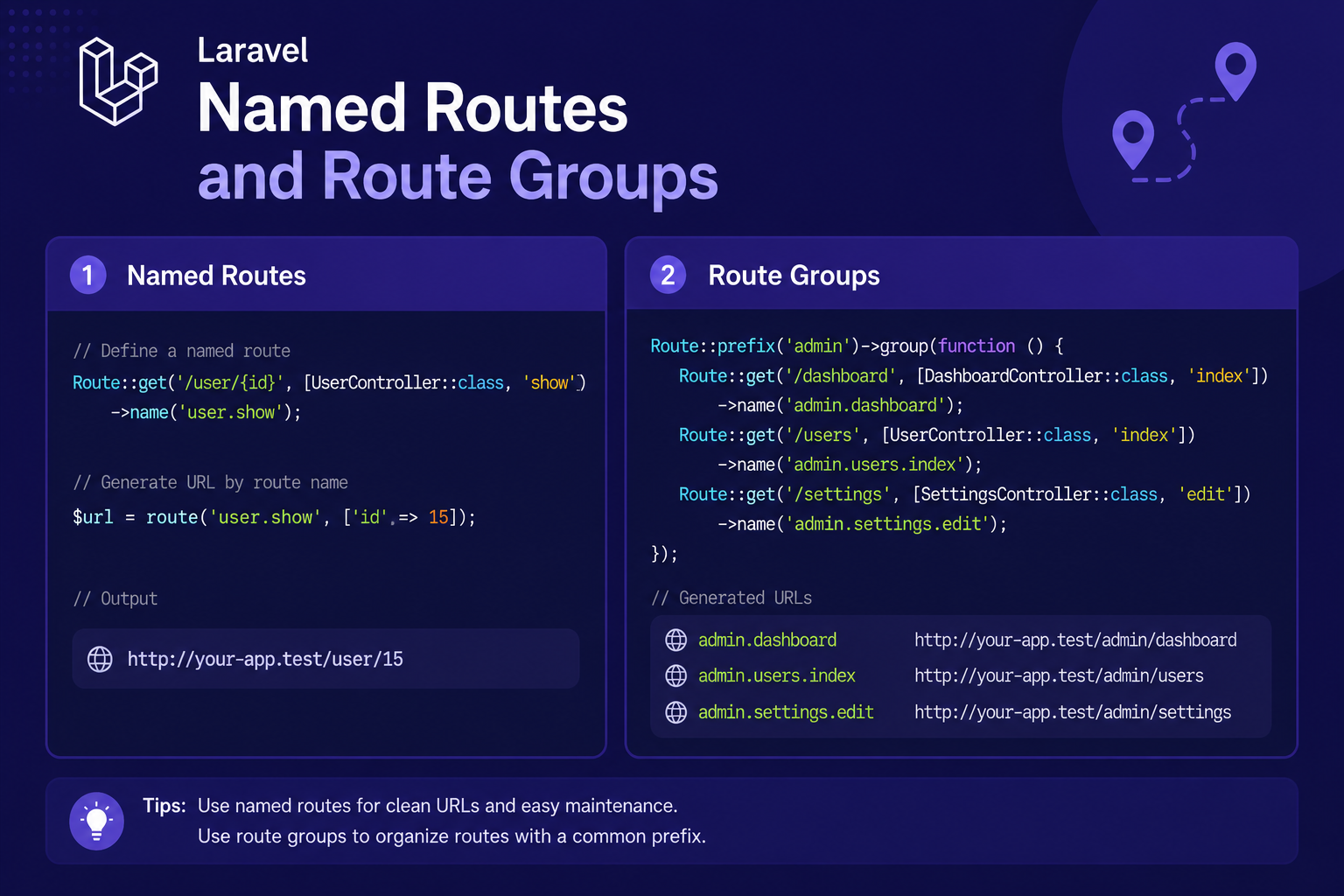
In this article, we'll explore both features in depth, showing how they work individually and how they're often combined together in real-world Laravel applications.
226 views
Introduction
As your Laravel application grows, so does your routes/web.php file. What starts as a handful of simple routes can quickly turn into dozens, then hundreds, of route definitions — many of them sharing the same URL prefix, middleware, or controller. Without a way to organize them, your route files can become messy and error-prone.
Laravel solves this with two closely related features: named routes, which let you reference a route by a memorable name instead of hard-coding its URL everywhere, and route groups, which let you apply shared attributes (like a prefix or middleware) to multiple routes at once instead of repeating yourself.
In this article, we'll explore both features in depth, showing how they work individually and how they're often combined together in real-world Laravel applications.
Named Routes
A named route gives a route definition a unique identifier that you can reference elsewhere in your application, instead of typing out the raw URL every time.
Defining a Named Route
You add a name to a route using the ->name() method:
php
Route::get('/posts', [PostController::class, 'index'])->name('posts.index');Referencing a Named Route
Once named, you can generate a URL to that route anywhere in your application using the route() helper:
php
$url = route('posts.index');This is especially useful inside Blade views, for example when creating navigation links:
html
<a href="{{ route('posts.index') }}">All Posts</a>Named Routes with Parameters
If a route has parameters, you pass them as an array to the route() helper:
php
Route::get('/posts/{id}', [PostController::class, 'show'])->name('posts.show');html
<a href="{{ route('posts.show', ['id' => 5]) }}">View Post</a>Why Use Named Routes Instead of Hard-Coded URLs?
Imagine you have a link to /posts scattered across twenty different Blade files. If you ever decide to change that URL to /articles, you'd need to update every single occurrence manually. With named routes, you only need to change the URL once in your route definition — every route('posts.index') call throughout your app automatically reflects the update.
Route Groups
Route groups let you apply shared settings — like a common URL prefix, middleware, or controller namespace — to multiple routes at once, using Route::group() or its shorthand equivalents.
Grouping by Prefix
php
Route::prefix('admin')->group(function () {
    Route::get('/dashboard', [AdminController::class, 'dashboard']);
    Route::get('/users', [AdminController::class, 'users']);
});
This creates routes accessible at /admin/dashboard and /admin/users, without repeating admin/ in each route definition.
Grouping by Middleware
php
Route::middleware(['auth'])->group(function () {
    Route::get('/profile', [ProfileController::class, 'show']);
    Route::get('/settings', [SettingsController::class, 'edit']);
});
Both routes here will require the auth middleware, meaning only logged-in users can access them.
Grouping by Name Prefix
You can also prefix route names within a group, which pairs nicely with a URL prefix:
php
Route::prefix('admin')->name('admin.')->group(function () {
    Route::get('/dashboard', [AdminController::class, 'dashboard'])->name('dashboard');
    Route::get('/users', [AdminController::class, 'users'])->name('users');
});
This results in named routes admin.dashboard and admin.users, keeping naming consistent and predictable across related routes.
Combining Multiple Group Attributes
Groups can chain multiple attributes together for more complex scenarios:
php
Route::prefix('admin')
    ->name('admin.')
    ->middleware(['auth', 'verified'])
    ->group(function () {
        Route::get('/dashboard', [AdminController::class, 'dashboard'])->name('dashboard');
    });
Tips for Organizing Routes
Adopt a consistent naming convention, such as
resource.action(e.g.,posts.index,posts.show), to make route names predictable across your app.Always use
route()instead of hard-coded URLs in Blade views and redirects, so future URL changes don't require touching multiple files.Group routes by feature or access level, such as separating admin routes, authenticated user routes, and public routes into their own groups.
Avoid deeply nested groups where possible — two or three levels is usually enough before things become hard to read.
Run
php artisan route:listafter adding groups to confirm prefixes and middleware were applied as expected.
FAQ About Named Routes and Route Groups
1. What happens if I use route() with a name that doesn't exist? Laravel will throw a RouteNotFoundException, since it can't generate a URL for a route name it doesn't recognize. Double-check for typos in the route name.
2. Can I group routes without applying any middleware or prefix, just for organization? Yes, though it's not very common. Most developers use plain comments or spacing to visually organize routes that don't share prefixes or middleware, reserving groups for routes that share actual attributes.
3. Do route groups affect performance? No. Route groups are purely a way to organize your route definitions in code — Laravel compiles them into the same internal structure regardless of whether they're grouped or written individually.
4. Can I nest route groups inside other route groups? Yes, groups can be nested, and their attributes (like prefixes and middleware) stack together. This is common for structuring larger admin panels or multi-tenant applications.
5. Is naming routes required? No, it's optional, but strongly recommended for any route you'll reference elsewhere in your application (like in links, redirects, or forms), since it makes your codebase far more maintainable.
6. What's the difference between a route group's name prefix and its URL prefix? The name prefix only affects the route's name (used in route() calls), while the URL prefix affects the actual URL path. They're independent settings, though they're commonly used together for consistency.
Conclusion
Named routes and route groups are simple concepts individually, but together they make a huge difference in keeping larger Laravel applications organized and maintainable. Naming your routes protects you from painful refactors down the line, while grouping keeps related routes tidy and reduces repetition.
In the next article, we'll shift focus to controllers, walking through how to create them using Artisan and how to move your route logic into clean, reusable controller methods.
Found this helpful? Share it!